

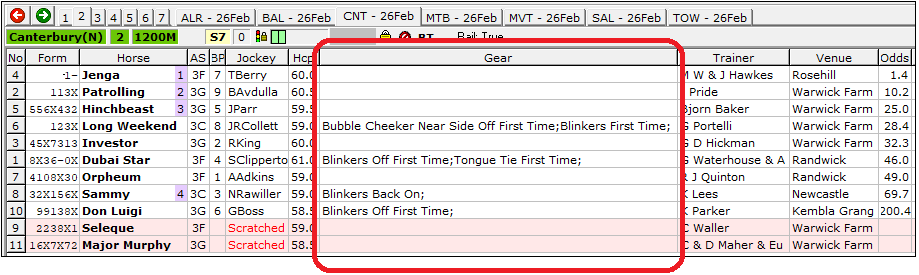
Gear Change notifications are displayed in the Gear column on the Field View for races run since the beginning of August 2017.
Gear Changes in the System Developer
The Gear Changes parameter is available on the Horse tab in the System Developer although it is quite tricky to use because of the increasing number of gear changes and their complexity, such as these recent examples...
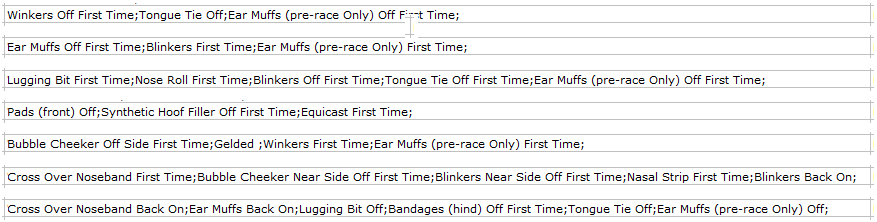
And this one, that needs to be reproduced over two lines to fit in on this manual page...

The number of Gear Changes is currently in excess of 150, and to add to the complexity, there are five options to refine each chosen gear change:
Gear is Off
Gear is On
First Time for this gear Option
This gear is being used again
This gear is back on
To further add to the complexity, the Gear is Off and Gear is On options can be used in conjunction with one of the other three options.